Account Connections
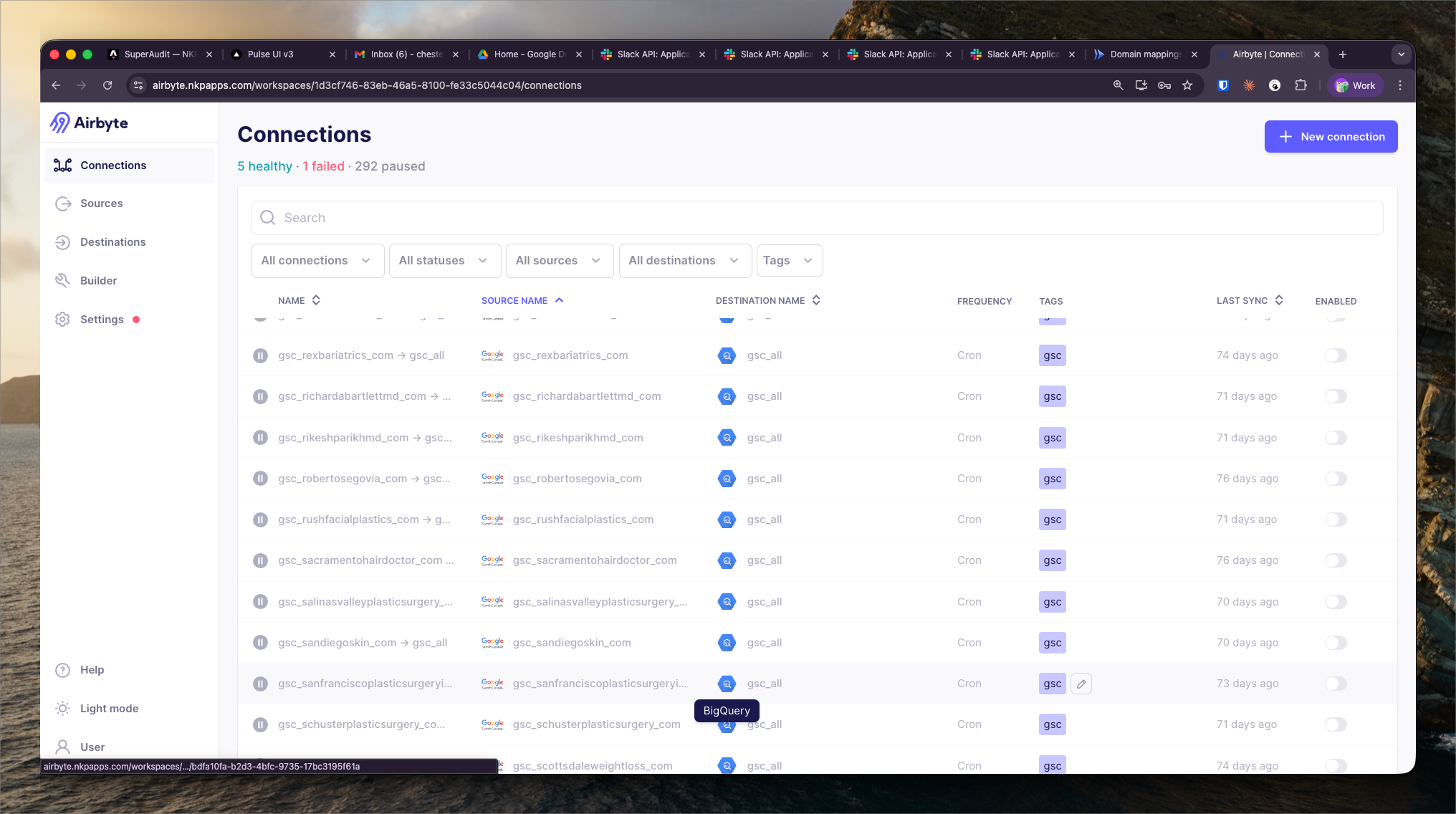
Per-account connection list with sync health, last successful run, and error rate for each NKP data source.
What It Shows
Account Connections provides a per-account view of sync health across all Airbyte connections. Where the Pipeline Overview is organized by connection, this view is organized by NKP client account — showing all data pipelines relevant to a single account in one place.
Per-account data:
- All active connections feeding data from this account's tools
- Last successful sync timestamp per connection
- Error rate over the last 7 days
- Row count trends (to detect unexpectedly low sync volumes)
Diagnosing Per-Account Data Issues
When a Pulse module shows stale or missing data for a specific client, the Account Connections view is the starting point for diagnosis. A failed or stalled connection for that account's GA4 property, for example, would explain missing analytics data in Pulse.
The error rate column highlights connections with repeated failures — these need investigation even if the last run succeeded, as intermittent failures indicate instability.
Connection Authentication
Each connection has authentication credentials (API keys, OAuth tokens) that may expire. The account connections view shows credential expiry warnings when OAuth tokens are within 30 days of expiry. Expired credentials are a common cause of sync failures and are rotated as part of the monthly Airbyte maintenance process.