Validation Report
Post-optimization audit — checks output image quality, file size targets, and format compliance before delivery.
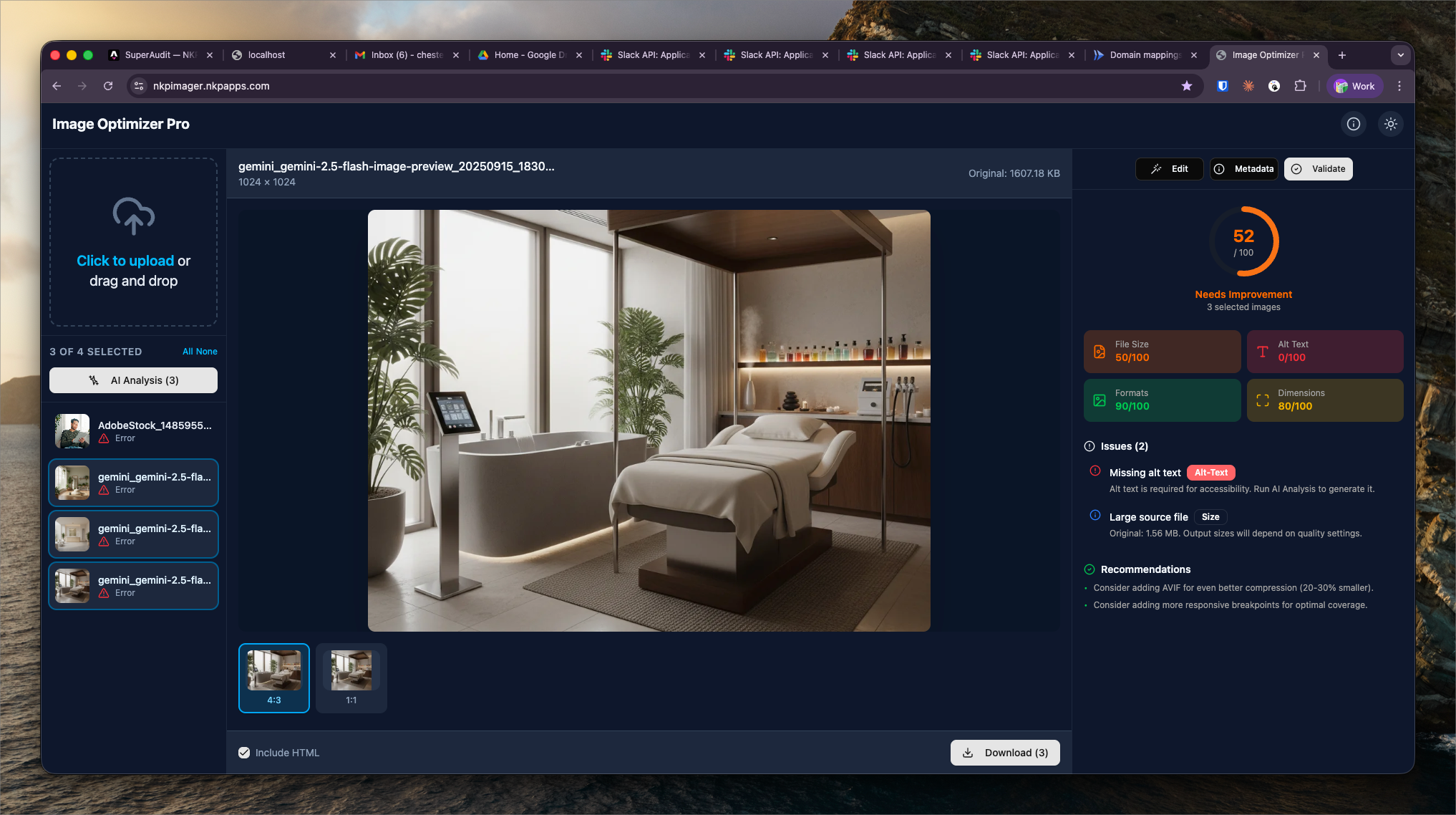
What It Shows
The Validation Report runs automatically after each processing batch. It audits every output image against configurable quality thresholds and flags images that don't meet the target standards.
Validation checks:
- File size — flags output images above the configured max size (default: 200KB for web images)
- Dimensions — verifies output matches requested width and height within 1px tolerance
- Format — confirms output file is valid WebP/AVIF/JPEG (not just renamed)
- Visual quality — SSIM score comparison against original (flags if quality drops below 0.85)
- Transparency — warns if a PNG with transparency was converted to a format that doesn't support it (JPEG)
Pass / Fail Thresholds
Each check results in a Pass, Warn, or Fail status:
- Pass — meets threshold
- Warn — slightly outside threshold but likely acceptable (e.g. 210KB target 200KB)
- Fail — significantly outside threshold; image should be re-processed with adjusted settings
Handling Failures
A common failure case is an image that's too large after optimization — usually because the source image is extremely high resolution (e.g. a 24MP camera raw). The recommended fix is to re-process with either a lower quality setting or a dimension reduction, then re-validate.
The validation report is the final gate before delivering optimized images to the NKP team for client upload.