Settings
Location configuration, notification routing, auto-respond tone settings, and API connection management.
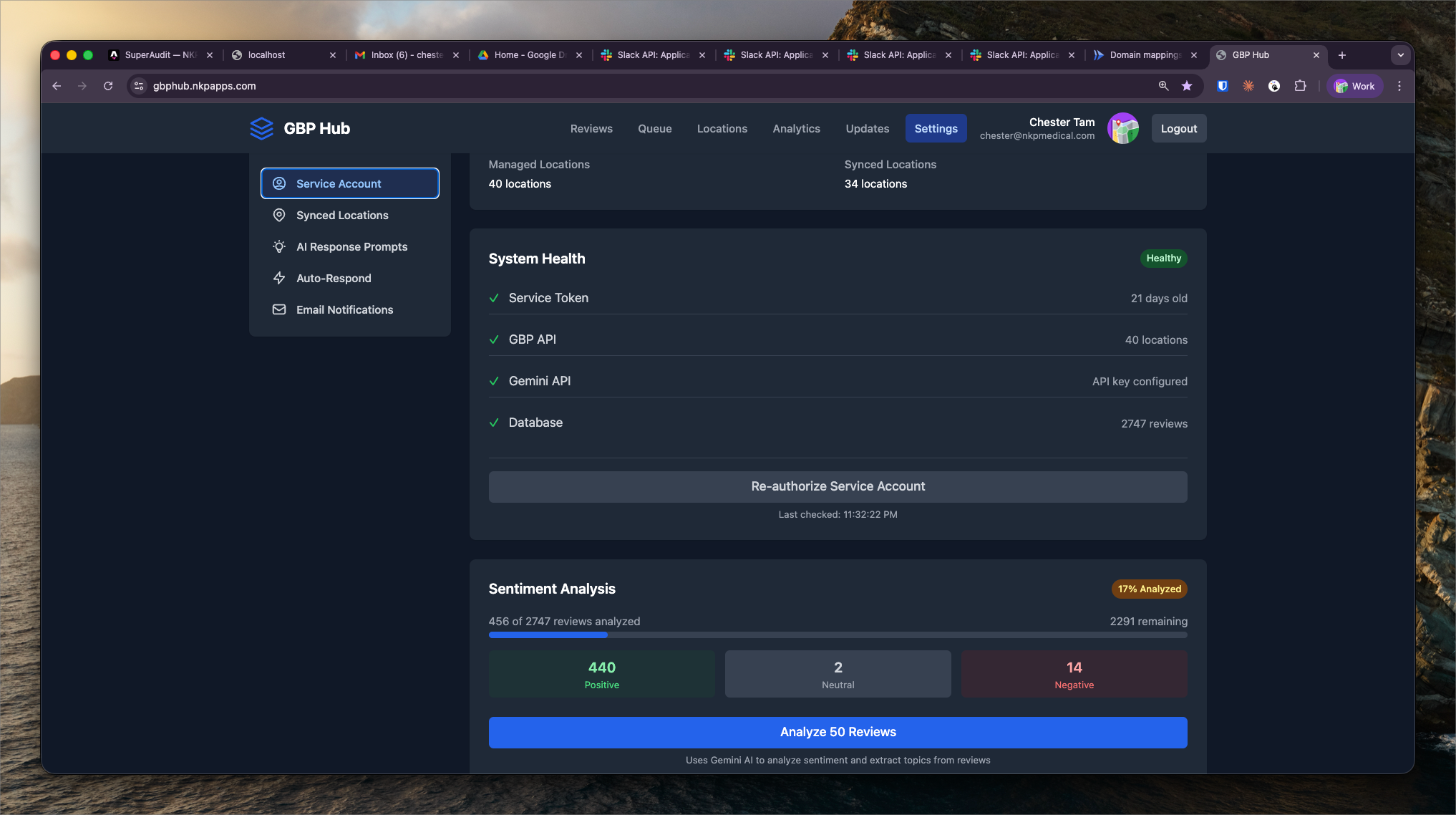
What It Shows
Settings is the admin layer of GBP Hub. It controls how the system is configured per client and per location — notification routing, Auto-Respond tone templates, and API connection status.
Settings sections:
- Location management — add, remove, and configure client locations
- Account manager assignments — map locations to account managers for alert routing
- Auto-Respond tone — configure response style per client (professional, warm, formal, medical-formal)
- Alert thresholds — set minimum rating filters for review alerts, engagement drop percentage thresholds
- API connections — Google Business Profile API status and OAuth token health per connected account
Location Onboarding
Adding a new client location involves:
- Connecting the client's Google account via OAuth
- Selecting the location(s) from the GBP account
- Assigning account manager(s) for notifications
- Configuring the Auto-Respond tone template
- Enabling/disabling specific alert types
Once connected, the location begins appearing in all GBP Hub views within 24 hours (after the first data pull).
API Health Monitoring
GBP API OAuth tokens expire and require periodic re-authorization. The Settings API connections panel shows the token expiry date and health status for each connected account. Expired tokens are flagged in red — account managers see a banner in the main nav prompting re-authorization before data gaps occur.