Content Pipeline
Content workflow stage tracking — 128 new, 211 needing more info, with per-domain pipeline percentage and stage breakdown (writing, editing, approval, QA).
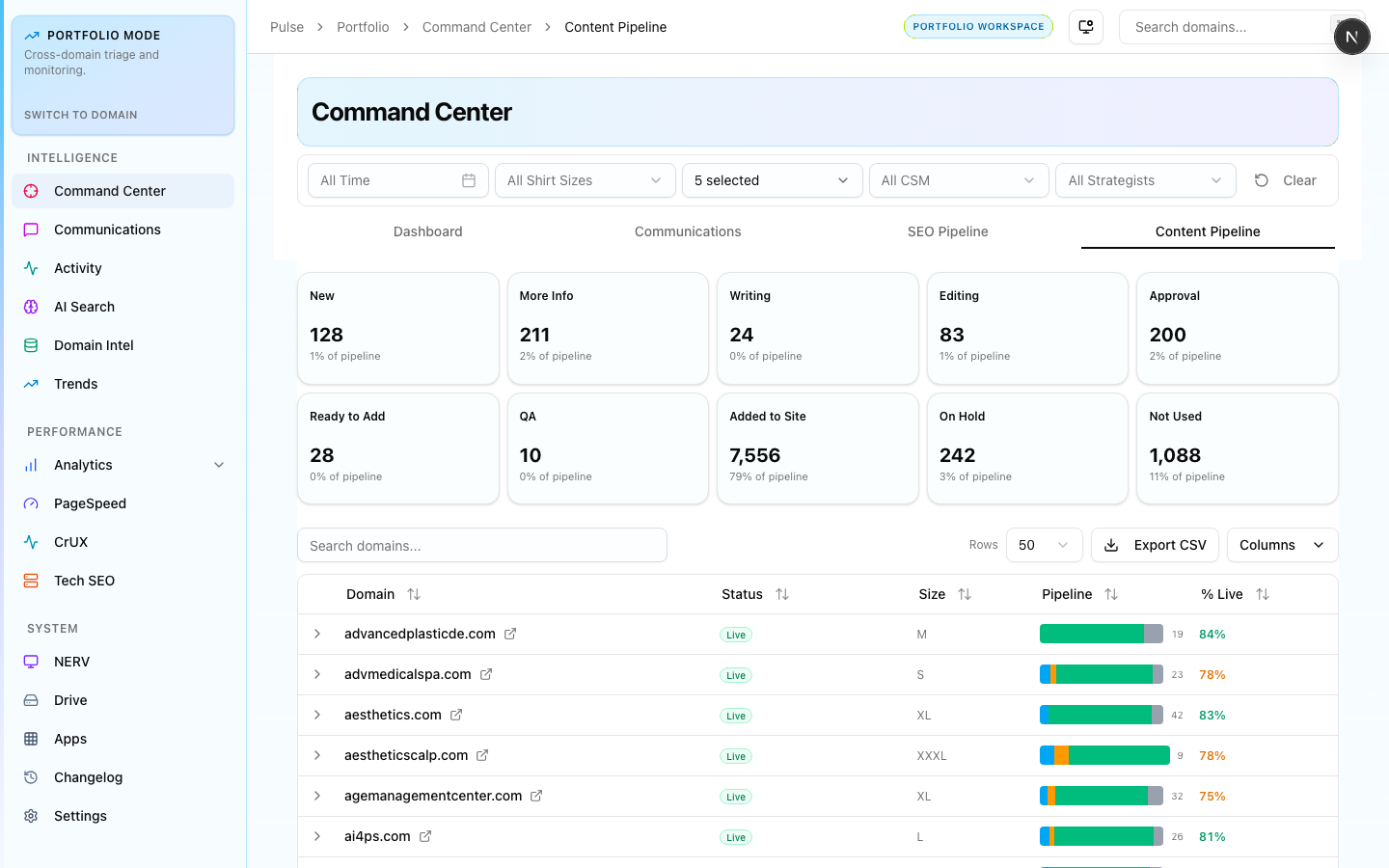
The Content Pipeline shows content workflow stage counts across the portfolio — from new briefs through final QA. Use it to track throughput, identify bottlenecks, and measure monthly content production.
Pipeline Stages
| Stage | What it means |
|---|---|
| New | Brief created, not yet assigned |
| Needs More Info | Brief returned for clarification |
| Writing | Writer assigned and working |
| Editing | First draft submitted, under review |
| Approval | Sent to client or manager for sign-off |
| QA | Final check before delivery |
| Done | Delivered |
How to Use
- High "Needs More Info" count — brief quality issue; review brief templates
- High "Writing" count with low "Editing" — output is backed up; check writer capacity
- Low "Done" relative to month target — flag in weekly stand-up
The per-domain percentage column shows what fraction of each account's monthly content has cleared QA. Sort by this column to find accounts at risk of missing the monthly content commitment.